November 30th, 2025
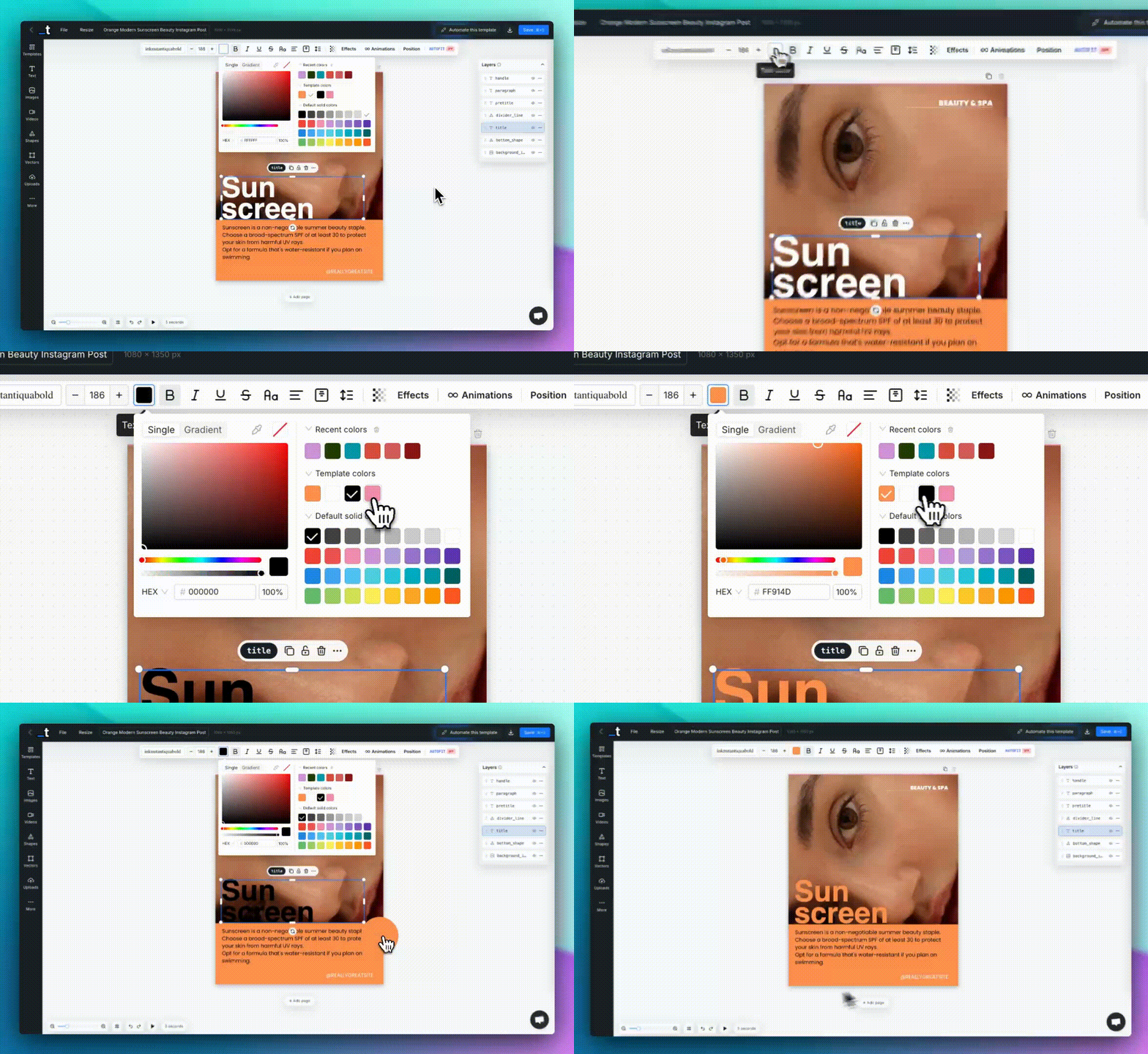
November 2025 Updates – New Color Picker, Auto-save, Print-ready PDFs and more 🎈
Hello again!
Here's a roundup of everything new we've shipped in November.
We focused on improving the editor experience, adding more PDF options, and making it easier to manage your templates at scale.
• New Color Picker with Template Colors & Recent Colors
We've completely redesigned the color picker!
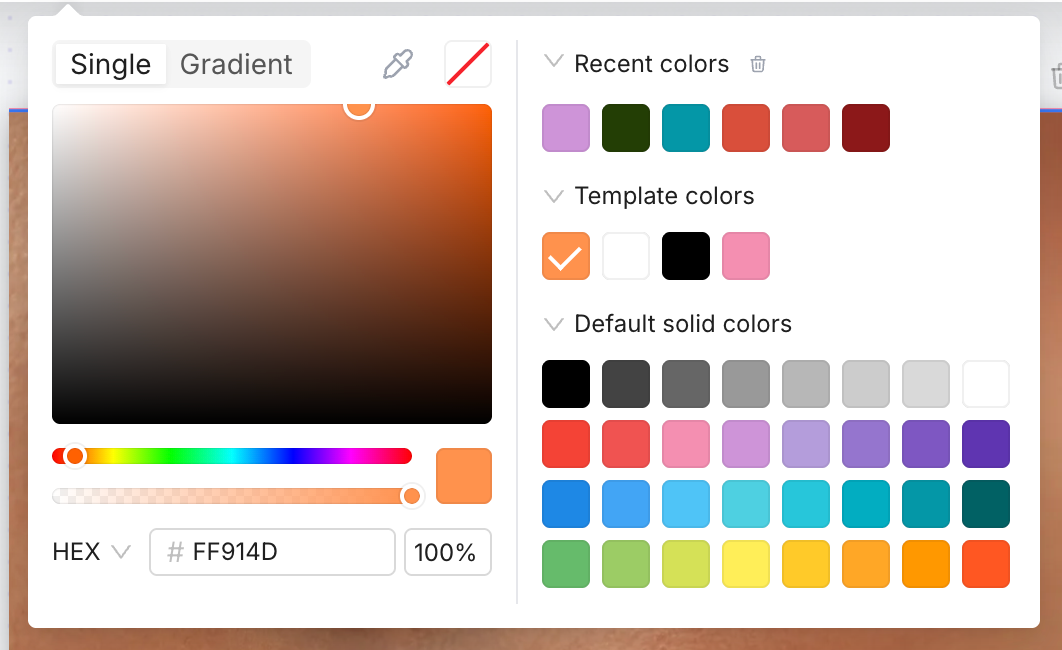
Now when you pick colors in the editor, you'll see:
Recent colors — Automatically remembers your last 16 colors (2 rows), persisted in your browser
Template colors — Shows colors already used in your current template for easy consistency
Default palette — A curated set of 32 colors across grayscale, reds, blues, and greens
Eyedropper tool — Pick any color from your screen (on supported browsers) with the new eyedropper button
You can also clear your recent colors anytime from the color picker panel.
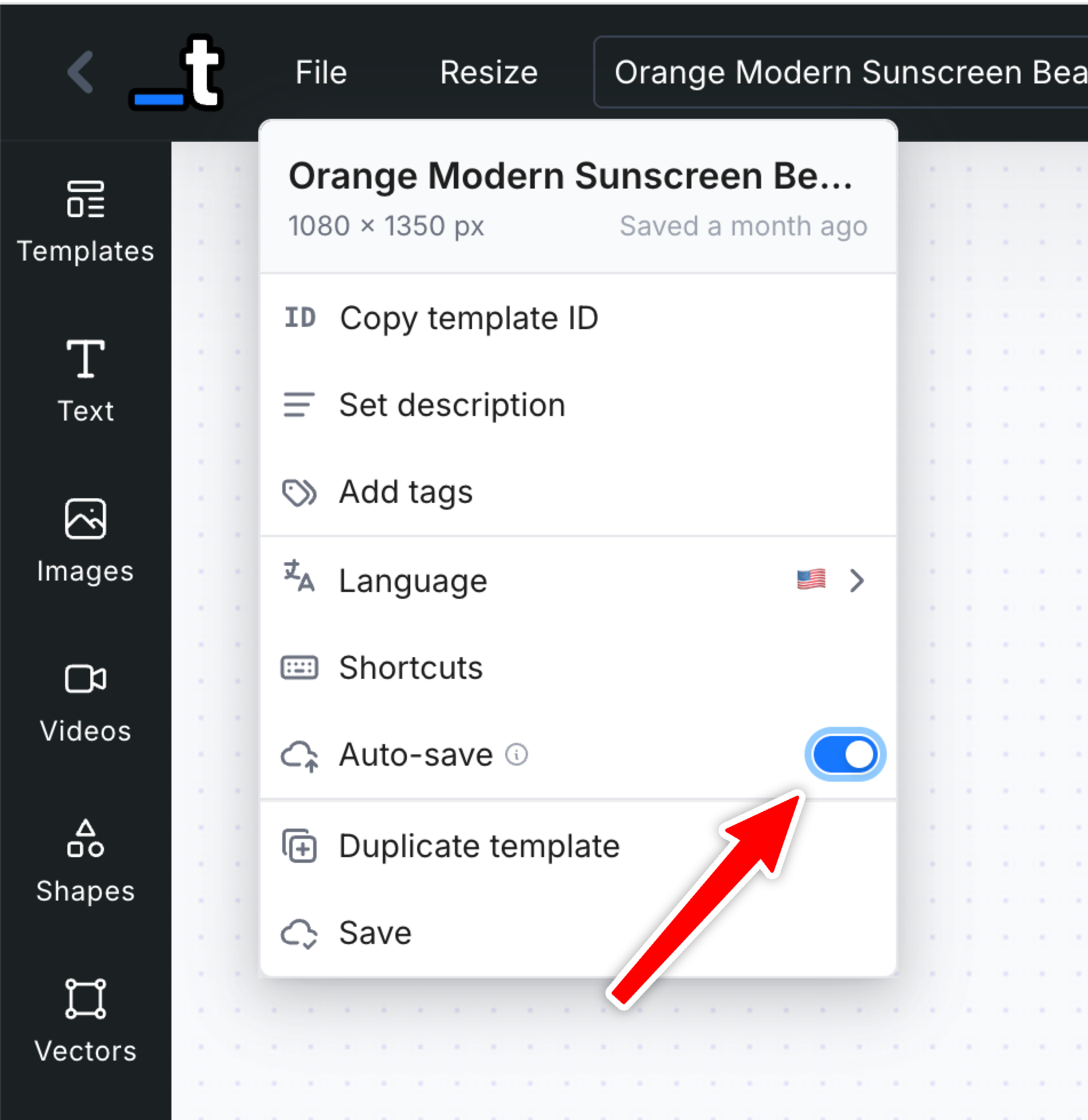
• Auto-save Option in the Editor
No more forgetting to save! Enable auto-save from the File menu and your template will automatically save every 15 seconds. The setting is remembered per browser, so you can enable it once and forget about it.
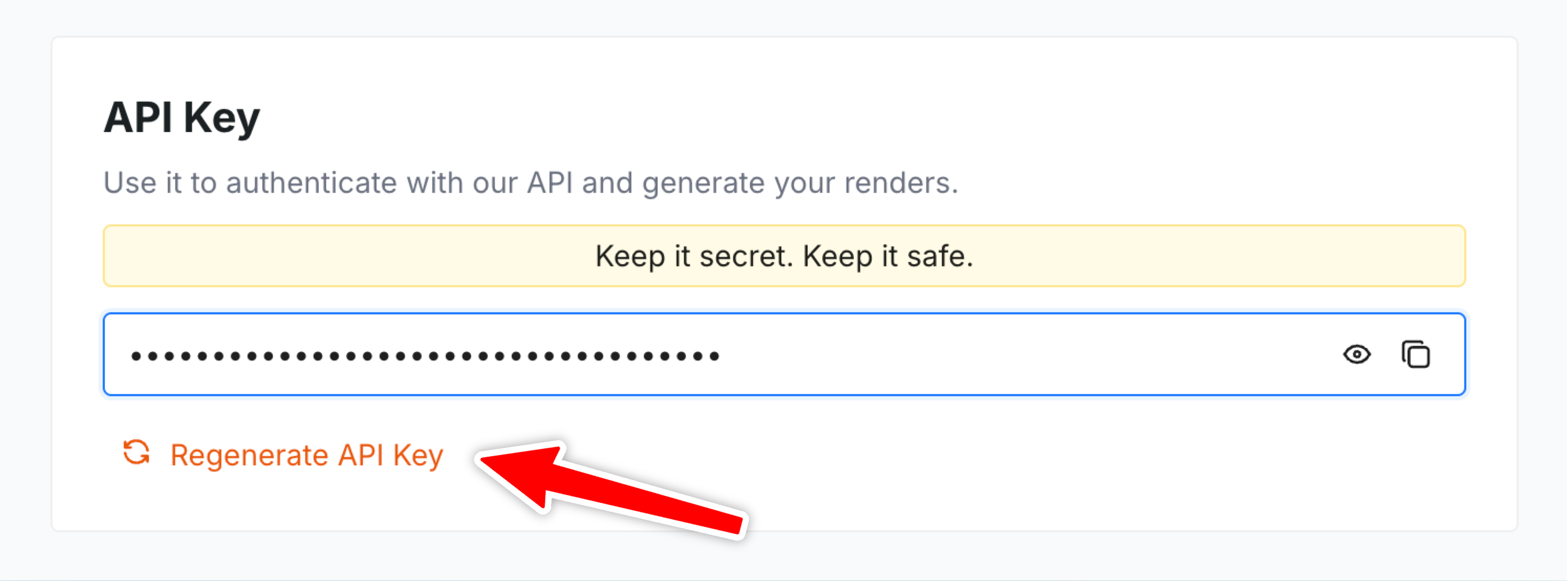
• Regenerate API Key
Need to rotate your API key for security reasons? You can now regenerate your API key directly from the Dashboard. The old key will stop working immediately, so make sure to update your integrations.
• Hide Layer Toggle
You can now hide/show layers in the editor without deleting them.
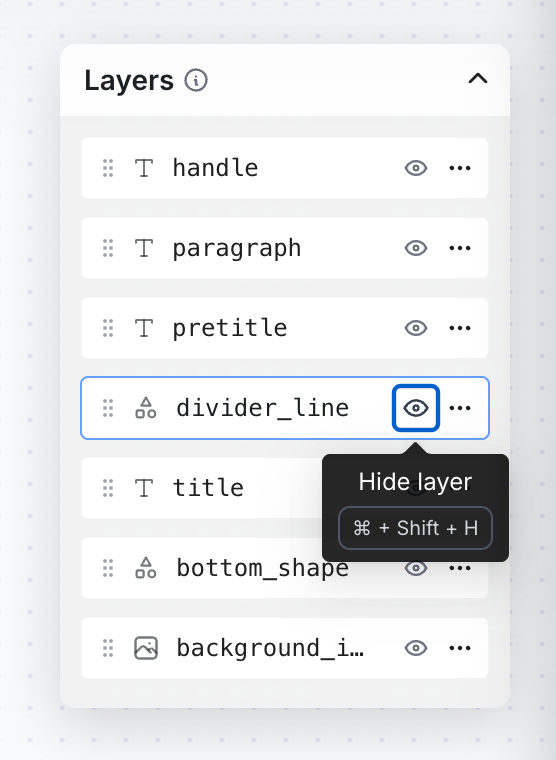
Use the eye icon in the Layers panel or the keyboard shortcut ⌘/Ctrl + Shift + H to hide/show the selected layer.
• Print-ready PDF Options: CMYK & Flatten
We've added two new options for PDF rendering to help you create print-ready files:
CMYK Colors — Converts your PDF to CMYK color space (DeviceCMYK) instead of RGB, essential for professional printing
Flatten PDF — Removes all transparency and flattens layers into a single output, ensuring compatibility with older PDF readers
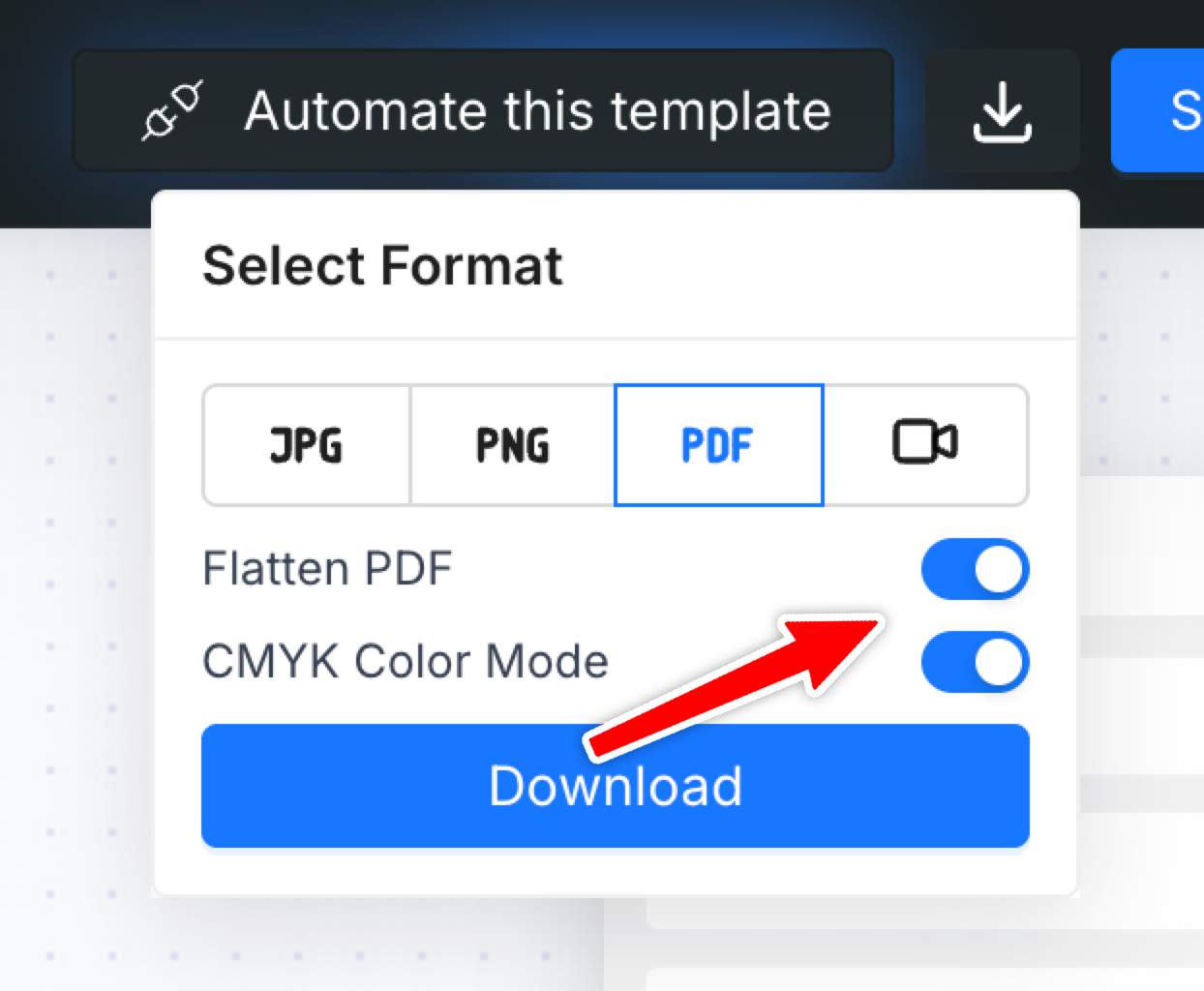
Both options are available in the Editor's Download menu and via the API using the cmyk and flatten parameters. You can find it in the docs here.
• Single-page Mode for Large Templates
Working with templates that have 15+ pages?
Enable Single-page mode from the File menu to significantly reduce memory usage.
Instead of rendering all pages at once, the editor will only render the current page you're working on.
• Bulk Add Tags to Templates
You can now select multiple templates from the Dashboard and add tags to all of them at once. Great for organizing large template libraries quickly.
Just enter selection mode, select your templates, and click "Add Tags" to apply tags in bulk.
Other Fixes & Improvements
Fixed color picker color detection — Colors are now detected correctly even when layer opacity is not at 100%
Select all/Select 50 on Renders page — You can now quickly select up to 50 renders at once for bulk actions like deletion
Fixed Remove BG feature on Embedded Editor — Background removal now works correctly when using the embedded editor
Add outline property to the API — You can now control a Shape layer outline via the API
Add align distribute vertically and horizontally to selected elements — Space elements evenly by multi-selecting and clicking on the Align button. Thanks for the suggestion!
That's it for this November update!
Hope these improvements make your workflow smoother 😉.
As always, let us know what you'd like to see next on the feedback board.
Until the next one,
Pedro